

How a PDF QR code works
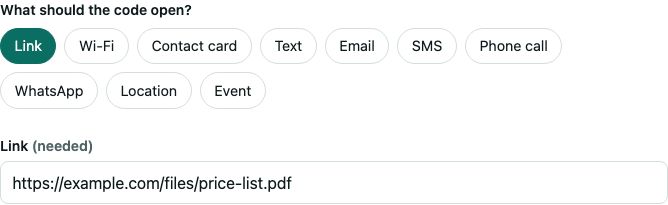
The code holds a link to your PDF. When someone scans it, their phone opens the file. The PDF itself lives online in a place you control, such as Google Drive, Dropbox, OneDrive or your own website.
Many QR sites offer to host your PDF for you. That often means a monthly fee, and if you stop paying, the code stops working. Here, you keep the file and the link. The code never expires.
Step 1: put the PDF online
With Google Drive:
- Upload the PDF.
- Choose Share.
- Under General access, pick Anyone with the link and set the role to Viewer.
- Choose Copy link.
Dropbox and OneDrive have similar “share a link” options. Your own website works too: upload the file and copy its address.
Step 2: test the link
Open the link in a private (incognito) browser window. If you can see the PDF there without signing in, everyone can. If you see a request for access, the sharing setting is not open yet.
Step 3: make the code
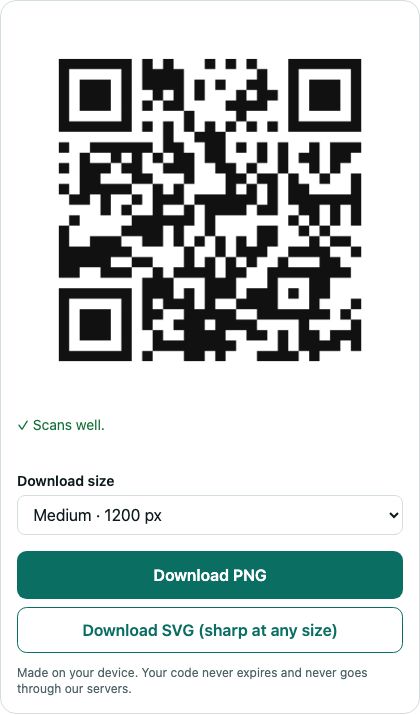
Paste the link above. Styled code is selected for a clean, easy-to-read code. Add your logo if you like, check Scans well, then download. For print, choose Download SVG.
Make the PDF phone-friendly
Most people will open it on a phone. Help them:
- Use one column of text, not two.
- Use big, clear fonts.
- Keep the file small, so it opens quickly on mobile data.
- Put the most important information on page one.
Good uses
Product manuals, price lists, brochures, event programmes, school letters, safety sheets and menus. For restaurant menus, see the menu page for extra tips.
Common mistakes
- Sharing set to “Restricted”. Only you can open the file. Everyone else sees a request-access page.
- Deleting the file to “update” it. A new upload usually means a new link, and the printed code breaks.
- Moving the file to a personal folder you later remove. If the file goes, so does the code. Keep it somewhere permanent.
- Linking to a giant scan. Image-only PDFs are big and hard to search. Export from your design tool instead.
Questions people ask
Can a QR code hold a PDF file?
No. A QR code holds a short piece of text, like a link. The PDF lives online, and the code opens it. That is how every PDF QR code works.
Do you host my PDF?
No, and that is on purpose. Your file stays in your own Drive or Dropbox, so nobody can take it down or ask you for monthly fees to keep the code working.
Why do people see 'You need access'?
The file is still private. In Google Drive, set General access to Anyone with the link, as a Viewer. Then test the link in a private browser window.
Can I update the PDF without changing the code?
Only if the link stays the same. Replacing a file with a new upload usually gives a new link. Many services let you replace a file while keeping its link; check how yours works before you print.
Which is better, a PDF or a web page?
A web page is easier to read on a phone. A PDF is fine for manuals, forms and documents meant to be saved or printed.